Titanic 3D Movie review (IMAX) by Geoffmobile.com

Geoff from geoffmobile.com reviews the movie Titanic 3D (IMAX), now showing in Theatres.

Technical notes:
Camera: Sony Cybershot DSC-HX9V
Sound: Zoom H1 with lapel mic
Audio processed with Audacity (used plugins Normalize, SC4 compressor, and W1 Limitier VST (Betabugs Gui))
Video edited with Adobe Premiere Pro CS5.5 on a Windows 7 Dell PC (Intel i7 and USB 3.0 for a faster workflow).
Audio synced with video using Pluraleyes from Singular Software.

Simplify, simplify, simplify! A great design principle – vlog by Geoffmobile.com

Geoff from geoffmobile.com talks about one really important goal of the Design process: to simplify and uncomplicate an existing workflow or process.

When designing anything, think about asking the questions:
-is this design making something simpler? How many steps did it use to take, and how many does it now?
-Is the process being designed accomplishing something useful?
-Did the process use to require specialized knowledge to perform? Does your new design make it easy to understand for people without specialized knowledge?

Please leave your comments below. If you enjoy my videos, please subscribe to my channel and rate/ like this video! :)

Cheers,
Geoff
geoffmobile.com

Technical notes:

Camera: Sony Cybershot DSC-HX9V with manual white balance, recording in 60p 1080p.

Audio: Recorded on Zoom H1 with Sennheiser lapel mic, processed in Audacity. In Audacity, the following filters were used:
-Normalize with DC Offset removal
-W1 Limitier VST (Betabugs Gui)
-Chop and trim the track.

Video was edited with Adobe Premiere Pro CS5.5. Color correction was done with RGB Curves and Fast Color Corrector. Audio was synced with video using Pluraleyes by Singular Software.

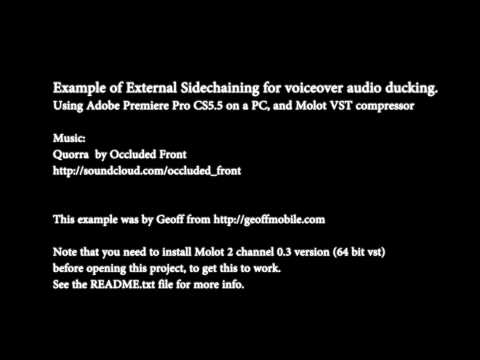
How to do Sidechaining with 64 bit VST for Audio Ducking effect in Adobe Premiere Pro CS5.5

Tutorial Guide:

How to do Sidechaining with 64 bit VST for Audio Ducking effect in Adobe Premiere Pro CS5.5 (on PC / Windows 7).

Example by Geoff from geoffmobile.com
Contact: geoff@gpeters.com
Date: April 12th 2012

***** To download the sample project for this tutorial, please visit:
geoffmobile.com/resources/premiere-vst-sidechain-example.zip

Instructions:

This is an example project for Adobe Premiere Pro CS5.5 that shows how to implement side chaining in Adobe Premiere using the free Molot compressor.

Please get the latest version of Molot (2 channel version) from the Molot Author’s web site:
vladgsound.wordpress.com/

The Molot 2 channel 0.3 version (64 bit vst) works with Adobe Premiere Pro CS5.5 on a PC.

Please note that the creator of this tutorial is not affiliated with the Molot author.

What is this for?

The desired effect is that when I talk in my video, the music automatically ducks down a few DB, and that makes the background music not interfere with the voiceover.

How is this done?

I used 2 instances of the “64 bit 2 channels Molot 0.3 version” VST plugin in the “mono mode with external side chain signal” mode.

I was searching for hours on how to get an external sidechain working in Adobe Premiere Pro CS5.5.2. The 4 channel version didn’t work, but the 2 channel version worked. I implemented External sidechaining in my video project sequence using Molot and it worked great. I used some clever sending between Audio Submix tracks in Premiere and two different Molot instances to allow my sidechaing to be performed on a Stereo music track.

To see my example in action, feel free to watch my cooking video which I used this sidechaining technique in my Adobe Premiere Pro sequence:
geoffmobile.com/blog/how-to-make-creamy-mashed-potatoes-with-coconut-m

The project in this example is a Premiere project showing my Molot settings. I made use of many Audio Submix tracks with sends.

To Set up and Use:

1. Before opening the Premiere project, you must install the Molot plugin (2 channel version).

To install Molot plugin, obtain the latest plugin from the Molot author’s site (see above) and then copy the file Molot03-2ch-x64.dll to your folder C:Program FilesAdobeAdobe Premiere Pro CS5.5Plug-insen_USVSTPlugins and restart Adobe Premiere.

When you start premiere, if it installed oK, you will see Molot showing up in the Audio Effects tab.

2. Open the project file provided in this example.

3. Put your narration on the Narration track, and music on the Music track (as labelled in the example project). Don’t change the other Submix tracks (but you may want to adjust the Molot compressor settings on tracks “Music left c” and “Music right c”.

Note that the left and right channels of the music are compressed separately since Stereo compression can only be achieved with two mono compressors at the moment (due to Adobe Premiere not supporting the 4 channel Molot version).

About This Tutorial

This tutorial was brought to you by Geoff from geoffmobile.com
If you have questions feel free to email me at geoff@gpeters.com

Please note:

Unless otherwise stated, this demo project is provided “as-is,” without any express or implied warranty. In no event shall Geoff from geoffmobile.com be held liable for any damages arising from the use of the software.

Music:
Quorra by Occluded Front
soundcloud.com/occluded_front

Should I share my ideas with others? – a vlog by geoffmobile.com

Don’t be afraid of telling others your ideas

False:
All your ideas should be good ones.
You should make sure an idea is fully baked before telling it.
You don’t want to have people know you as a person who creates some ideas which are not useful.

Better:

FFFOTRQ

Flow – Get the process for idea sharing and communication flowing

Feedback – Ask for others feedback on your ideas

Failure – Fail early and often. Great inventors had many ideas and failures

Openness – Be open about sharing your ideas

Tenacity – Be stubborn and follow your hunches. Don’t give up too early

Realizing – when it’s time to move on – also need to recognize when an idea isn’t working or when it’s time to let go

Quantity – Come up with lots of ideas

99 percent of success is built on failure.
— Charles F. Kettering
Inventor of Car motor starter (ignition). Freon for fridges.

Thanks for watching!

Cheers,
Geoff

Filmed on a Sony Cybershot DSC-HX9V
Edited with Adobe Premiere Pro CS5.5 on a Windows 7 Dell PC (Intel i7 and USB 3.0 for a faster workflow).
Audio processed in Audacity.

How to make Creamy Mashed Potatoes with coconut milk (instead of milk)

Here’s another “Cooking with Geoff” recipe episode from Vancouver BC Canada.

Geoff from geoffmobile.com shows how to make a creamy version of mashed potatoes with coconut milk instead of dairy milk. This recipe is 100% vegan and vegetarian!

They’re a great accompaniment to round out a delicious meal. Serve with gravy and your choice of protein and vegetables.

Music:

Quorra by Occluded Front
soundcloud.com/occluded_front
www.facebook.com/OccludedFront?sk=wall

Song that Never Was (Imogen Heap Remix) by gpeters
soundcloud.com/gpeters

Joy by Geoff Peters Trio
gpeters.com

Technical notes:

Camera: Sony Cybershot DSC-HX9V with manual white balance

Audio recorded on a Zoom H1, with sennheiser Lapel mic.

Narration Audio processed in Audacity. (Used SC4 compressor, split tracks to mono, Hard limiter, and Amplify effect).

In Adobe Premiere Pro CS5.5. side-chain compression was used to perform audio ducking of the music track underneath the narration, using “Molot” compressor VST Plugin, 2 instances of the “64 bit 2 channels Molot 0.3 version” VST plugin in the “mono mode with external side chain signal” mode were used directly in Adobe Premiere Pro CS5.5 to perform the side chain compression.

Get the free Molot compressor VST plugin here: vladgsound.wordpress.com/downloads/

Thanks for watching!
Cheers,
Geoff

A Birds in the House Production
birdsinthehouse.com