Author Interview: J.J. McCullough, writer of J.J.’s Complete Guide to Canada

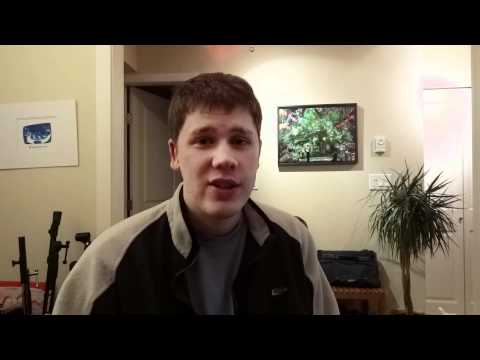
Geoff from geoffmobile.com interviews J.J. McCullough, columnist and writer of the newly released “J.J.’s Complete Guide to Canada”.

Check out the Guide for free online here:

Home

And please visit J.J.’s other website (for his political / editorial cartoons and Huffington Post column):
filibustercartoons.com

Thanks for watching!

For more videos from Vancouver BC Canada, please subscribe to Geoffmobile here on Youtube or visit geoffmobile.com

Cheers,
Geoff

Technical Notes:
Camera: Canon EOS T2i with Magic Lantern Unified and Technicolor Cinestyle
Sound: Zoom H1, as well as Mac Laptop. Processed in Audacity with normalize, SC4 compressor, and W1 Limiter plugins.
Edited with Adobe Premiere Pro CS5.5 on a Windows 7 Dell PC (Intel i7 and USB 3.0 for a faster workflow).

A Birds in the House Production
birdsinthehouse.com

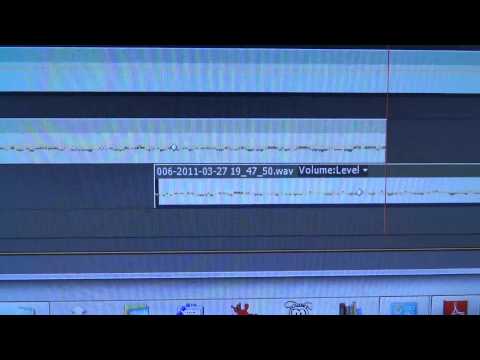
Two ways to crossfade ambient audio clips smoothly in Adobe Premiere Pro cs5.5

Geoff from geoffmobile.com shows how to use a Constant Power cross fade to crossfade between audio on two different tracks in Premiere Pro CS5.5, and explains the difference between a Constant Power crossfade and a linear crossfade.

The constant power crossfade is useful for connecting two audio clips which have the same level of background ambient sound in each clip. You don’t want the audio to appear to “drop out” or there to be a blip in the ambient sound, so instead of using a linear crossfade (such as through gain automation in the timeline), try using a Constant Power Crossfade on each ends of the two different tracks.

Yes, it’s possible to do a Constant Power crossfade between two different tracks, by just applying the crossfade to each track’s beginning or end. This way you can ensure your ambient sound (room tone or ambient track) doesn’t have a distracting drop out or noticeable decrease in volume at the crossfade point.

Any questions about audio crossfading in Premiere, please feel free to leave comments and I will try to help!

Cheers,
Geoff
geoffmobile.com

Filmed on a Sony Cybershot DSC-HX9V and edited with Adobe Premiere Pro CS5.5 on a Windows 7 Dell PC (Intel i7 and USB 3.0 for a faster workflow).

How do you stay motivated to do creative projects? A vlog from Geoffmobile.com

Geoff from geoffmobile.com asks the question: How do you stay motivated to do creative projects outside of work, if your work sometimes leaves you tired after working really hard for a day, week, or even a year!

Geoff’s suggestions:
-Get good sleep, catch up on sleep on the weekends
-Do exercise to energize yourself
-Eat healthy, nutritious foods. I like eating lots of vegetables (salads) as well as fruit juices (I’m an orange juice fiend!), carbs, and some proteins. Avoid fatty foods or too much salt or sugars.

Thanks for watching!

Cheers,
Geoff

geoffmobile.com

Filmed on a Sony Cybershot DSC-HX9V and edited with Adobe Premiere Pro CS5.5 on a Windows 7 Dell PC (Intel i7 and USB 3.0 for a faster workflow).

IGIC Principles for a Good Life – Toastmasters Inspiration of the Day – Club 59

Geoff from geoffmobile.com presents the Inspiration of the Day at Toastmasters Club 59 in Vancouver BC Canada tmclub59.com

Be Interested
Be Generous
Be Interesting
Connect

Thanks to Seth Godin for the idea for this talk.

Thanks to Godfrey for filming me.

Geoffmobile’s Short film, and a Question: Who will be the next Steve Jobs? – Geoffmobile vlog update

Geoff from geoffmobile.com talks about his current short film project, as well as talks about the success of Apple (with iPod, iPhone, and iPad) and the amazing achievements of the late great Steve Jobs.

Geoff asks the question: “Who will be the next Steve Jobs?”

Thanks for watching!
Cheers,
Geoff

Technical notes:
Camera: Sony Cybershot DSC-HX9V
Audio: Sennheiser lapel mic, Zoom H1
Edited with Adobe Premiere Pro CS5.5 on a Windows 7 Dell PC (Intel i7 with USB 3.0 for a faster workflow).