Forest Bathing in VR 180 – Sechelt BC Waterfalls Canada – Vuze XR – Beautiful forest and waterfall
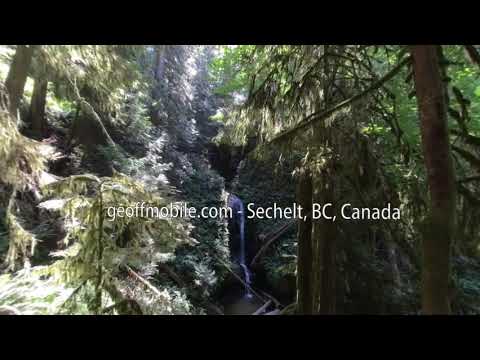
Sechelt and the Sunshine Coast are amazing places to visit in BC Canada. Here are some VR 180 captures of Burnett Falls waterfall and trail, and the waterfalls at Cliff Gilker Park in Roberts Creek.

Please subscribe :) youtube.com/geoffmobile

This video is VR 180 3D, best viewed in a VR headset such as the Oculus Quest 2.
Hope you enjoy the forest-bathing experience and the soothing sound of the waterfalls.

Shown in video:
0:00 – Burnett Falls waterfall
0:57 – Woods near Burnett Falls waterfall
1:08 – In the forest by the trail and stream below the waterfall at Burnett Falls park
3:07 – Cliff Gilker Park waterfall at Roberts Creek

Burnett Falls Park
5332 Burnett Rd, Sechelt, BC V0N 3A4
goo.gl/maps/xBpUHbWEBzUMMcrm7

Cliff Gilker Park
3110 Sunshine Coast Hwy, Roberts Creek, BC
goo.gl/maps/AYD48GyYjLuWNTT18

This was recorded in 3D 180 VR using the Vuze XR – a 180 3D VR camera. The Vuze XR camera was used on top of a Stayblcam Stabilizer while walking.

Here are my social links:
youtube.com/geoffmobile

facebook.com/geoff.peters

Technical notes:
VR 180 3D video was captured in full automatic settings and exported from Vuze XR Studio in 5.7k side-by-side 120Mbps H.264. Video edited in Shotcut (Free video editor) and exported using “Youtube” preset.

The Stabilizer I used for this video is the Stayblcam stayblcam.com

This VR 180 3D video was filmed using a Vuze XR camera.
Please watch using the Youtube App on an Oculus Quest 2 VR (Virtual Reality) headset for the best 3D experience!

Best regards,
Geoff
geoffmobile.com

How to Edit VR 180 3D videos in Shotcut, Free Video Editor, and adding titles in VR 180 properly

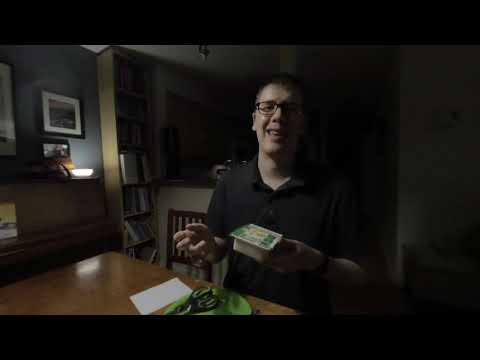
Here’s a unique tutorial showing how to edit VR 180 3D Side-by-side videos that were captured using a VR 180 camera such as the Vuze XR or Insta360 Evo, using the free, open source video editing program called Shotcut.

shotcut.org

This tutorial includes step by step instructions on:
– how to render footage using the Vuze XR studio with the best settings for VR 180 video editing
– how to create a project in Shotcut using the right settings
– how to do basic editing in Shotcut for VR 180 videos including cross fades, fade out, add background audio
– how to make proper VR 180 3D stereo titles using Shotcut
– how to apply proper equirectangular transformations to make the titles look correct using the built-in 360 video filters that Shotcut provides.

Finally, the tutorial shows how to export VR 180 videos properly from Shotcut using the right settings, and add metadata using the VR 180 Creator software formerly from Google, as well as how to upload them to Youtube.

Please subscribe :) youtube.com/geoffmobile

Example video that I created during this tutorial can be viewed here:

Correction: When I dragged the top title track’s title (for the right eye) to be longer in duration, I should have dragged the middle title tracks’ title (for the left eye) to be the same length. The left eye and right eye’s titles should always be visible at the same time.

Thanks for watching!
Cheers,
Geoff
geoffmobile.com

Thank you! :)

Here are my social links:
youtube.com/geoffmobile
twitter.com/gpeters
facebook.com/geoff.peters

Technical notes:
Video captured using OBS Studio. Video edited in Shotcut (Free video editor) and exported using “Youtube” preset.

Best regards,
Geoff
geoffmobile.com

Food at Richmond Public Market – VR 180 3d video by Vuze XR – geoffmobile Vancouver BC Canada

Richmond Public Market is an amazing place to visit in Richmond BC Canada, kind of like an Asian Granville Island Market. Here are some VR 180 captures of the food vendors as well as our lunch which we ate in the grand atrium.

Please subscribe :) youtube.com/geoffmobile

This video is VR 180 3D, best viewed in a VR headset such as the Oculus Quest 2.

Shown in video:
Some of the food vendors – Hei Hei Rice Rolls
囍記腸粉 Hei Hei Rice Roll 喜记肠粉
Wonder Wok
Yi Pin Yuan Delicious Meat Pie 一品源肉饼

Food:
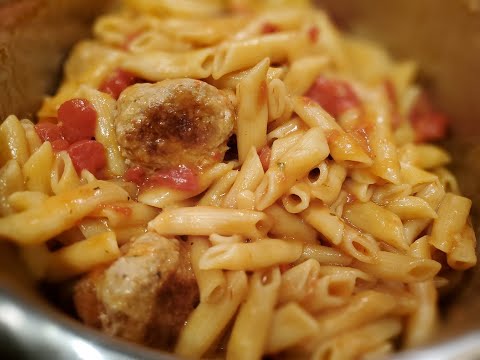
Pork and Beef Rice Rolls from Hei Hei Rice Rolls
Chopped Scallop Rice Rolls from Hei Hei Rice Rolls
Pork Thousand Layer Meat Pie from Yi Pin Yuan Delicious Meat Pie
Gai Lan, Rice, Fried Squid, and Yummy Flavor Fish from Wonder Wok

Richmond Public Market
8260 Westminster Hwy, Richmond, BC, Canada V6X 1A7
goo.gl/maps/a5KqD83rLLrpMAgA9

This was recorded in 3D 180 VR using the Vuze XR – a 180 3D VR camera. The Vuze XR camera was used on top of a Stayblcam Stabilizer while walking.

Here are my social links:
youtube.com/geoffmobile
twitter.com/gpeters
facebook.com/geoff.peters

Technical notes:
VR 180 3D video was captured in full automatic settings and exported from Vuze XR Studio in 5.7k side-by-side 120Mbps H.264. Video edited in Shotcut (Free video editor) and exported using “Youtube” preset.

The Stabilizer I used for this video is the Stayblcam stayblcam.com

This VR 180 3D video was filmed using a Vuze XR camera.
Please watch using the Youtube App on an Oculus Quest 2 VR (Virtual Reality) headset for the best 3D experience!

Best regards,
Geoff
geoffmobile.com

My top 2 tips for creating a consistent and effective personal brand – Toastmasters Table Topics

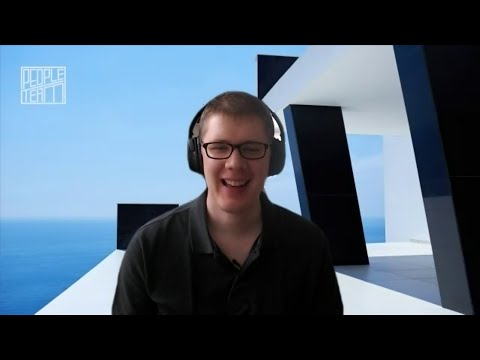
Geoff from geoffmobile.com shares his top 2 tips for creating an effective and consistent personal brand online.

Please subscribe :) youtube.com/geoffmobile

This was Geoff’s response to a Table Topics impromptu speaking question at Toastmasters. Recorded at Best Run Toastmasters in Vancouver BC on March 10th 2021.

For more information about Toastmasters please visit:
toastmasters.org

Thanks for watching!

Best regards,
Geoff
geoffmobile.com

3D VR 180 Tour of Horseshoe Bay, BC, Canada beautiful waterfront – using Vuze XR camera

Horseshoe Bay is the home of one of British Columbia’s main Ferry Terminals that goes from the Vancouver area to surrounding destinations. Here is a VR 180 tour of some of the beautiful waterfront sights of Horseshoe Bay.

Please subscribe :) youtube.com/geoffmobile

This video is VR 180 3D, best viewed in a VR headset such as the Oculus Quest 2.

This was recorded in 3D 180 VR using the Vuze XR – a 180 3D VR camera. The Vuze XR camera was used on top of a Stayblcam Stabilizer while walking.

Here are my social links:
youtube.com/geoffmobile
twitter.com/gpeters
facebook.com/geoff.peters

Technical notes:
VR 180 3D video was captured in full automatic settings and exported from Vuze XR Studio in 5.7k side-by-side 120Mbps H.264. Video edited in Shotcut (Free video editor) and exported using “Youtube” preset.

The Stabilizer I used for this video is the Stayblcam stayblcam.com

This VR 180 3D video was filmed using a Vuze XR camera.
Please watch using the Youtube App on an Oculus Quest 2 VR (Virtual Reality) headset for the best 3D experience!

Best regards,
Geoff
geoffmobile.com