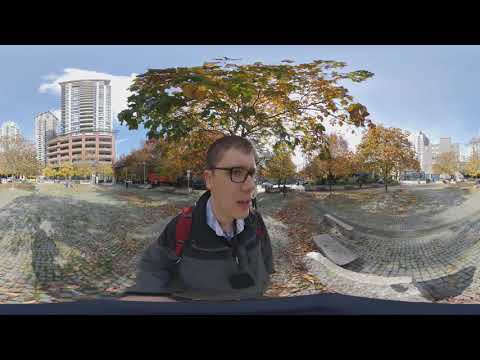
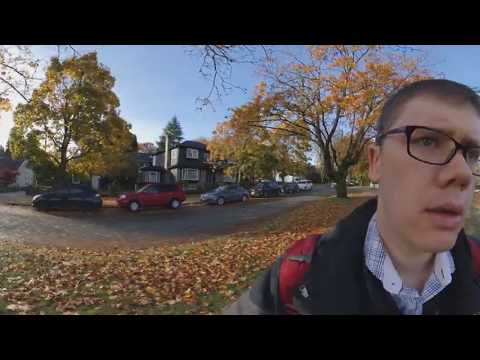
360 Vlog: Walking to Work in Vancouver Canada on a Sunny Fall Day – Insta360 One X and Stayblcam
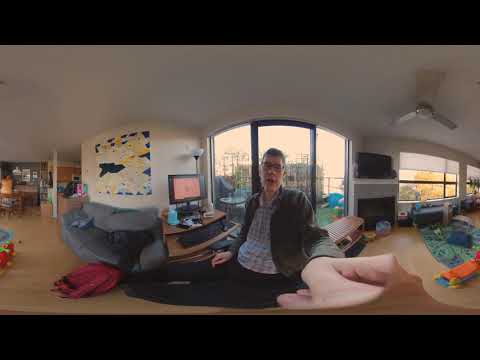
This is a 360 Video! Move your phone/tablet to explore or drag the screen on a web browser :)

Using a 360 camera, I do a quick walking vlog along a sunny street in the west side of Vancouver BC Canada, using the Insta360 One X 360 camera on a Stayblcam camera stabilizer.

Please subscribe :) youtube.com/geoffmobile

Geoff filmed this 360 video, a 360 degrees vlog video, using his Insta 360 One X Camera in Vancouver, BC, Canada, using the camera handheld on a Stayblcam stabilizer.

Filmed with Insta360 One X in 5.7k resolution using Fast shutter mode, and Daylight white balance preset. Shot without using LOG mode. Edited in in Premiere.

Thanks for watching! Cheers, Geoff

Curious how I made this video? Look no further. I have explained how to do it in some easy tutorial videos. Here are the links to my 360 Video Editing tutorial video:

How to Edit 360 video in Adobe Premiere and upload to Youtube
www.youtube.com/edit?o=U&video_id=wO7FNAnqkH0

Notes:
Best viewed using headphones, and the Oculus Quest, HTC Vive, Zeiss VR One Plus, or the Samsung Gear VR
Also compatible with Google Cardboard

Thanks for watching!
Cheers,
Geoff
geoffmobile.com

Technical notes:
This 5.7k resolution video was captured using the Insta360 One X 360 camera. It was edited in Adobe Premiere Pro 2019.

Filmed with the Insta360 One X Camera
www.insta360.com/product/insta360-onex

Looks good viewed with Zeiss VR One Plus:
www.zeiss.com/virtual-reality/home.html

Also viewable in Virtual Reality with Google Cardboard
www.google.com/get/cardboard/

About 360 videos on Youtube:
support.google.com/youtube/answer/6178631?hl=en

More 360 videos from Youtube #360Video
www.youtube.com/channel/UCzuqhhs6NWbgTzMuM09WKDQ

360 Vlog: Walking to Work in Vancouver Canada on a Sunny Fall Day – Insta360 One X and Stayblcam

This is a 360 Video! Move your phone/tablet to explore or drag the screen on a web browser :)

Using a 360 camera, I do a quick walking vlog along a sunny street in the west side of Vancouver BC Canada, using the Insta360 One X 360 camera on a Stayblcam camera stabilizer.

Please subscribe :) youtube.com/geoffmobile

Geoff filmed this 360 video, a 360 degrees vlog video, using his Insta 360 One X Camera in Vancouver, BC, Canada, using the camera handheld on a Stayblcam stabilizer.

Filmed with Insta360 One X in 5.7k resolution using Fast shutter mode, and Daylight white balance preset. Shot without using LOG mode. Edited in in Premiere.

Thanks for watching! Cheers, Geoff

Curious how I made this video? Look no further. I have explained how to do it in some easy tutorial videos. Here are the links to my 360 Video Editing tutorial video:

How to Edit 360 video in Adobe Premiere and upload to Youtube
www.youtube.com/edit?o=U&video_id=wO7FNAnqkH0

Notes:
Best viewed using headphones, and the Oculus Quest, HTC Vive, Zeiss VR One Plus, or the Samsung Gear VR
Also compatible with Google Cardboard

Thanks for watching!
Cheers,
Geoff
geoffmobile.com

Technical notes:
This 5.7k resolution video was captured using the Insta360 One X 360 camera. It was edited in Adobe Premiere Pro 2019.

Filmed with the Insta360 One X Camera
www.insta360.com/product/insta360-onex

Looks good viewed with Zeiss VR One Plus:
www.zeiss.com/virtual-reality/home.html

Also viewable in Virtual Reality with Google Cardboard
www.google.com/get/cardboard/

About 360 videos on Youtube:
support.google.com/youtube/answer/6178631?hl=en

More 360 videos from Youtube #360Video
www.youtube.com/channel/UCzuqhhs6NWbgTzMuM09WKDQ

360 Vlog: Mounting the Insta360 One X on a Baseball Cap – cooking video POV idea

This is a 360 Video! Move your phone/tablet to explore or drag the screen on a web browser :)

Using a 360 camera, I do a quick vlog about an idea to mount the Insta360 One X 360 camera on a baseball cap and film a first-person hands free 360 cooking video.
Please subscribe :) youtube.com/geoffmobile

Links mentioned in video:
Hat with camera mount:
Hat Compatible with Removable GoPro Mounts – Hero Action Camcorder HD Edition – Go Pro 4 Silver, 3 + Black, 2 White, 1- Helmet Accessory Strap Caps Harness Studio Accessories
www.amazon.com/gp/product/B01JRE2JD0/ref=ppx_yo_dt_b_asin_title_o00_s00?ie=UTF8&psc=1

GoPro to 1/4 inch tripod converter:
HSU Aluminum 1/4 inch 20 Camera Mount, Tripod Adapter Compatible with GoPro Hero, Sony, Xiaomi yi and Other Action Cameras (Black)
www.amazon.com/gp/product/B07TYVHYMR/ref=ppx_yo_dt_b_asin_title_o00_s00?ie=UTF8&psc=1

Geoff filmed this 360 video, a 360 degrees vlog video, using his Insta 360 One X Camera in Vancouver, BC, Canada, using the camera handheld.

Filmed with Insta360 One X in 5.7k resolution using ISO 800, Shutter speed 1/30, manual mode, with Optical Flow stitching, and incandescent white balance preset. Shot in LOG mode and LUT and white balance adjustment was applied in Premiere.

Thanks for watching! Cheers, Geoff

Curious how I made this video? Look no further. I have explained how to do it in some easy tutorial videos. Here are the links to my 360 Video Editing tutorial video:

How to Edit 360 video in Adobe Premiere and upload to Youtube
www.youtube.com/edit?o=U&video_id=wO7FNAnqkH0

Notes:
Best viewed using headphones, and the Oculus Quest, HTC Vive, Zeiss VR One Plus, or the Samsung Gear VR
Also compatible with Google Cardboard

Thanks for watching!
Cheers,
Geoff
geoffmobile.com

Technical notes:
This 5.7k resolution video was captured using the Insta360 One X 360 camera. It was edited in Adobe Premiere Pro 2019.

Filmed with the Insta360 One X Camera
www.insta360.com/product/insta360-onex

Looks good viewed with Zeiss VR One Plus:
www.zeiss.com/virtual-reality/home.html

Also viewable in Virtual Reality with Google Cardboard
www.google.com/get/cardboard/

About 360 videos on Youtube:
support.google.com/youtube/answer/6178631?hl=en

More 360 videos from Youtube #360Video
www.youtube.com/channel/UCzuqhhs6NWbgTzMuM09WKDQ

360 Vlog: My Daily Subway Lunch in Vancouver – Falafel Wrap for $4.99 – so tasty!

This is a 360 Video! Move your phone/tablet to explore or drag the screen on a web browser :)

Using a 360 camera, I do a quick vlog showing my daily Subway lunch – a Falafel Wrap with lots of vegetables ($4.99 plus tax). Yum!
Please subscribe :) youtube.com/geoffmobile

Geoff filmed this 360 video, a 360 degrees vlog restaurant video, using his Insta360 One X Camera in Vancouver, BC, Canada, using the camera handheld.

Filmed with Insta360 One X Camera in 5.7K resolution, using Log mode and Fast shutter mode.

Thanks for watching! Cheers, Geoff

Curious how I made this video? Look no further. I have explained how to do it in some easy tutorial videos. Here are the links to my 360 Video Editing tutorial video:

How to Edit 360 video in Adobe Premiere and upload to Youtube
www.youtube.com/edit?o=U&video_id=wO7FNAnqkH0

Notes:
Best viewed using headphones, and the Oculus Quest, HTC Vive, Zeiss VR One Plus, or the Samsung Gear VR
Also compatible with Google Cardboard

Thanks for watching!
Cheers,
Geoff
geoffmobile.com

Technical notes:
This 5.7k resolution video was captured using the Insta360 One X 360 camera. It was edited in Adobe Premiere Pro 2019.

Filmed with the Insta360 One X Camera
www.insta360.com/product/insta360-onex

Looks good viewed with Zeiss VR One Plus:
www.zeiss.com/virtual-reality/home.html

Also viewable in Virtual Reality with Google Cardboard
www.google.com/get/cardboard/

About 360 videos on Youtube:
support.google.com/youtube/answer/6178631?hl=en

More 360 videos from Youtube #360Video
www.youtube.com/channel/UCzuqhhs6NWbgTzMuM09WKDQ

360 Vlog: I bought an Insta360 One X 360 Camera! So excited :) – geoffmobile

This is a 360 Video! Move your phone/tablet to explore or drag the screen on a web browser :)

Using a 360 camera, I do a quick vlog about having purchased an Insta360 One X 360 camera.
Please subscribe :) youtube.com/geoffmobile

Geoff filmed this 360 video, a 360 degrees vlog video, using his Insta 360 One X Camera in Vancouver, BC, Canada, using the camera handheld.

Filmed with Insta360 One X in 5.7k resolution in “Fast” shutter mode, with Optical Flow stitching.

Thanks for watching! Cheers, Geoff

Curious how I made this video? Look no further. I have explained how to do it in some easy tutorial videos. Here are the links to my 360 Video Editing tutorial video:

How to Edit 360 video in Adobe Premiere and upload to Youtube
www.youtube.com/edit?o=U&video_id=wO7FNAnqkH0

Notes:
Best viewed using headphones, and the Oculus Quest, HTC Vive, Zeiss VR One Plus, or the Samsung Gear VR
Also compatible with Google Cardboard

Thanks for watching!
Cheers,
Geoff
geoffmobile.com

Technical notes:
This 5.7k resolution video was captured using the Insta360 One X 360 camera. It was edited in Adobe Premiere Pro 2019.

Filmed with the Insta360 One X Camera
www.insta360.com/product/insta360-onex

Looks good viewed with Zeiss VR One Plus:
www.zeiss.com/virtual-reality/home.html

Also viewable in Virtual Reality with Google Cardboard
www.google.com/get/cardboard/

About 360 videos on Youtube:
support.google.com/youtube/answer/6178631?hl=en

More 360 videos from Youtube #360Video
www.youtube.com/channel/UCzuqhhs6NWbgTzMuM09WKDQ