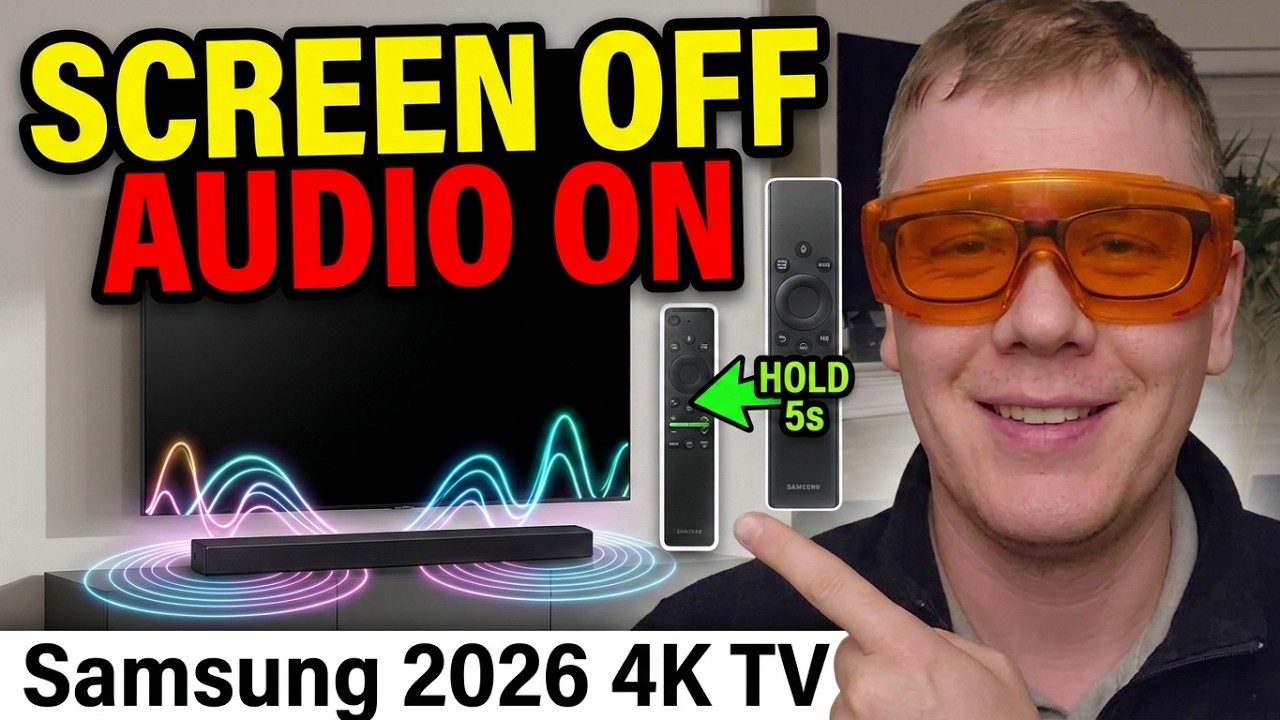
Samsung removed the Picture Off setting from its newer TVs, which made it hard to listen to music through the TV without the screen on. On our 2026 Samsung Crystal 4K TV, I found a workaround using an accessibility feature called Auto Picture Off.
Please subscribe :) youtube.com/geoffmobile
There’s a catch: the built-in YouTube app pauses when the screen turns off. But if you play YouTube through a Chromecast connected by HDMI, the audio keeps playing, including through a soundbar connected by eARC.
To find Auto Picture Off, hold down the middle of the volume rocker button on your Samsung remote for about five seconds to open the accessibility menu. Remember to turn the “Auto Picture Off” setting off when you’re done listening so the screen doesn’t switch off later while you’re watching something.
Apologies in advance for the gerbils running on their wheel in the background.
0:00 Intro
0:32 Why I wanted the screen off
1:21 Picture Off removed, Auto Picture Off added
2:01 Why the built-in YouTube app won’t work
2:37 Use a Chromecast through HDMI instead
3:22 The solution
3:50 How to find Auto Picture Off
4:19 Wrapping up
4:42 Gerbil cam
Full article / video transcript here: geoffmobile.com/blog/samsung-4k-2026-tv-how-to-turn-off-the-display-but-keep-the-audio-playing
More tech tips at geoffmobile.com. Don’t forget to subscribe!
Thanks for watching!
Cheers,
Geoff
geoffmobile.com
Video topics:
How to Turn Off the Screen on a 2026 Samsung TV and Keep the Audio Playing
Samsung TV Picture Off Is Gone: Use Auto Picture Off Instead
Play Music on Your Samsung TV With the Screen Off (2026 Tizen Workaround)
Samsung Removed Picture Off. Here’s the Workaround for Music Listening
Listen to Music Through Your Samsung TV and Soundbar With the Display Off

Transcript:
Hi everyone on YouTube. This is Geoff from geoffmobile.com. Behind me you can see our Samsung TV, and I wanted to share something I figured out about this TV. Sorry, our gerbil is just spinning in the wheel there. Anyways, hopefully you can still hear me. So, while the gerbil runs on its wheel, let me talk to you about the Samsung TV.
Why I Wanted to Turn Off the Screen
This is a Samsung 4K TV that just came out this year, in 2026. Our old Samsung TV had a feature where you could go into the eco settings and turn off the display. This was very helpful when listening to music, when I didn’t want to show the picture and just wanted to hear the music. You can see we have a soundbar connected to the TV, so it has very good sound. What I wanted to do was have the TV play the audio of the music but not show anything on the screen. (And the gerbil’s going again there.)
Picture Off Is Gone, but Auto Picture Off Works
Anyways, the newer Samsung TVs removed the feature to turn off the screen while the audio continues to play. They used to have a setting called Picture Off, and that setting was removed in the latest version of the Tizen OS, which is used by these 2026 Crystal 4K TVs by Samsung. But they replaced it with an accessibility feature called Auto Picture Off, and I found out that you can use the Auto Picture Off setting to, in effect, turn off the display while listening to music through the TV.
Why the Built-In YouTube App Won’t Work
However, there are a few tricks. If you’re trying to play music through the YouTube app on the Samsung TV itself (the smart TV app, where you go to the menu, choose the YouTube app, and it runs YouTube on the TV), that’s not going to work with Auto Picture Off. When you turn on Auto Picture Off and the picture turns off, it also pauses any applications playing on the TV. So if you’re watching a YouTube video through the YouTube app on the TV, it’s going to stop the audio.
Use a Chromecast Through HDMI Instead
But if you connect a Chromecast to the TV and play YouTube through the Chromecast, that’s coming in through HDMI, and the Auto Picture Off setting does allow audio sources playing through HDMI to keep playing while the screen is off. So the screen looks off, but the audio from the HDMI input is still playing on your TV. We have our soundbar connected through eARC on one of the HDMI ports, and even when the screen is off using Auto Picture Off, the audio continues to play through the soundbar as long as I’m playing it through the Chromecast connected to the TV.
The Solution
So, the solution: if you want to play music on your Samsung TV through your soundbar and turn off the display, you can choose the Auto Picture Off setting. You may have to toggle it on and off to get the display to turn off initially. Then, once you’re finished listening to music, go back into the accessibility settings and turn off Auto Picture Off so the screen doesn’t randomly turn off while you’re watching something later in the day.
How to Find the Auto Picture Off Setting
If you’re curious how to access the Auto Picture Off setting, it’s in the accessibility settings. On your Samsung remote, hold down the volume rocker for about five seconds and it will bring up the accessibility menu. Then select Auto Picture Off and turn it on. That will turn off the display but still allow the audio to play if it’s coming through an HDMI input on the back of your TV, such as from a Chromecast.
Wrapping Up
Anyways, that’s my tech tip for today. I hope you enjoy playing music through your Samsung TV, even the newer ones where they got rid of the Picture Off setting and replaced it with Auto Picture Off. This seems to work as long as you use an HDMI input, such as from a Chromecast.
Thanks for watching, and I hope the gerbils weren’t too annoying. I’ll give you a quick view of the cage, and you can see they really enjoy running in their wheel. Have a great day, don’t forget to subscribe, and I’ll talk to you soon.
Related Posts:

How to Watch Movies on your Oculus Quest in VR Virtual reality – 4 different ways – by geoffmobile
How to Edit Samsung Gear 360 video in Adobe Premiere and upload to Youtube
Listen to ebooks and music at the same time!
How to make Seared Scallops with Gremolata and Lemon Beurre Blanc – Chef Wayne Sych
How to Export Videos from Adobe Premiere for Youtube with Best Settings – tutorial from geoffmobile