How to Make Easy Beef Stew in Instant Pot – VR 180 3D Cooking Video by geoffmobile

This video is VR 180 3D, best viewed in a VR headset such as the Oculus Quest 2.

Please subscribe :) youtube.com/geoffmobile

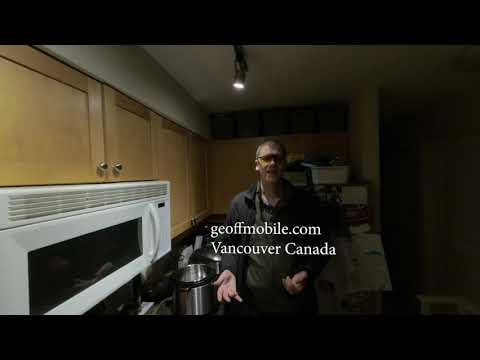
In this video, Geoff from geoffmobile.com shows how to make Easy Beef Stew in the Instant Pot pressure cooker. This was recorded in 3D 180 VR using the Vuze XR – a 180 3D VR camera.

Ingredients:
2 lbs stewing beef (or chuck roast), fat trimmed, cut into 1-2-inch chunks
5 stalks celery, sliced diagonally in thick pieces
6 carrots, sliced diagonally in thick pieces
2 cans of Heinz tomato juice
1 package of sliced mushrooms
1 tablespoon dried onion flakes
1 tablespoon sugar
Optional: Can add some frozen peas at the end after the cooking cycle is complete.

Original recipe inspired by “A Pinch of Yum”:
pinchofyum.com/instant-pot-beef-stew

Here are my social links:
youtube.com/geoffmobile
twitter.com/gpeters
facebook.com/geoff.peters

Technical notes:
VR 180 3D video was captured at ISO 200 (and ISO 400 for the intro portion), Shutter 1/60, Aperture 2.8, and exported in 120 Mbps ProRes. Video edited in Adobe Premiere (Legal Creative Cloud license) and exported at 125 Mbps H.264 video at maximum rendering depth and maximum render quality.

Audio was recorded using a Zoom H1 with Sennheiser ME-2 Lavalier microphone and processed in Audacity.

This VR 180 3D video was filmed using a Vuze XR camera.
Please watch using the Youtube App on an Oculus Quest 2 VR (Virtual Reality) headset for the best 3D experience!

Thanks for watching!
Cheers,
Geoff
geoffmobile.com

What is the Most Important Aspect about Community to You? – Toastmasters Table Topics by Geoff P.

Geoff from geoffmobile.com shares a short Table Topics Impromptu Speech at Best Run Toastmasters Club on the topic of “What is the most important aspect of community to you?”

Geoff shares about an interview he heard with Mark Zuckerberg (founder of Facebook) with Yuval Noah Harari where Mark Zuckerberg talked about how building community through Facebook groups is the most important feature of Facebook going forward, with higher priority over news and politics.

Please subscribe :) youtube.com/geoffmobile

This was an impromptu question asked as part of the Table Topics section of the Best Run Toastmasters meeting held on December 10th 2020 in Vancouver BC Canada (held virtually over Zoom).

For more information about Toastmasters please visit:
toastmasters.org

Thanks for watching!
Cheers,
Geoff
geoffmobile.com

What is Your Favorite Activity at a Community Centre? (Yoga) – Toastmasters Table Topics by Geoff P.
Geoff from geoffmobile.com shares a short Table Topics Impromptu Speech at Best Run Toastmasters Club on the topic of “What is your favorite activity to do at a community centre?”.

Geoff shares how he enjoys doing yoga at his local community centre, and how it makes his body feel more comfortable and also relaxes the mind.

Please subscribe :) youtube.com/geoffmobile

This was an impromptu question asked as part of the Table Topics section of the Best Run Toastmasters meeting held on December 10th 2020 in Vancouver BC Canada (held virtually over Zoom).

For more information about Toastmasters please visit:
toastmasters.org

Thanks for watching!
Cheers,
Geoff
geoffmobile.com

How to make Green Pepper Turkey Rice in the Instant Pot – VR 180

This video is VR 180 3D, best viewed in a VR headset such as the Oculus Quest 2.

Please subscribe :) youtube.com/geoffmobile

In this video, Geoff from geoffmobile.com shows how to make Green Pepper Turkey Rice in the Instant Pot pressure cooker. This was recorded in 3D 180 VR using the Vuze XR – a 180 3D VR camera.

Ingredients:
1 pound (454 g) ground turkey
1 onion, chopped
3 cloves garlic, minced
2 large green bell peppers, chopped (could use other colors if cheaper)
Handful fresh spinach, coarsely chopped
1 cup of frozen peas
1 can (14.5 ounces, or 411 g) diced tomatoes with juices
1 can (8 fluid ounces, or 235 ml) tomato sauce
1 cup (120 ml) reduced-sodium beef or chicken broth
1 cup long-grain white rice, rinsed
1 tablespoon (15 ml) Worcestershire sauce
1/2 teaspoon salt
1/4 teaspoon freshly ground black pepper

Here are my social links:
youtube.com/geoffmobile
twitter.com/gpeters
facebook.com/geoff.peters

Technical notes:
VR 180 3D video was captured at ISO 400 (and ISO 800 for the ending portion – you can notice the noise increase at the end of the video), Shutter 1/60, Aperture 2.8, and exported in 120 Mbps ProRes. Video edited in Adobe Premiere (Legal Creative Cloud license) and exported at 125 Mbps H.264 video at maximum rendering depth and maximum render quality.

Audio was recorded using a Zoom H1 with Sennheiser ME-2 Lavalier microphone and processed in Audacity.

This VR 180 3D video was filmed using a Vuze XR camera.
Please watch using the Youtube App on an Oculus Quest 2 VR (Virtual Reality) headset for the best 3D experience!

Thanks for watching!
Cheers,
Geoff
geoffmobile.com

How to Fix Audio Dropouts in Premiere after 5 seconds of playing in timeline

I had the issue in Adobe Premiere 2020 where my audio would stop playing or drop out when playing and editing my video in Adobe Premiere when editing a 5.7k video with external audio tracks. The audio would drop out after 5 seconds, even with increasing the audio buffer size. It seems to be a combination of using a very high res video file with an accompanying reference audio track, synced to an external recorder’s audio file, when you mute the reference audio. The muted audio still causes the dropout to occur. The solution to this problem is to alt-click the reference audio (the audio track from the camera) and disable it by pressing SHIFT + E. This is necessary to do even if the track is muted.

Solution is below:
” Rendering or previewing timelines resulted in image without audio during playback. I lost audio after 2-3 sec. of playback. Couldn’t find any solution, but discovered that my muted track caused some problems. By disabling the muted track all other audio played normal during preview. So Alt+Click the muted audio track (if any) to select it/them, then Shift+E to disable your track(s). Then hopefully preview audio without any more issues.”

Source:
community.adobe.com/t5/premiere-pro/premiere-pro-cc-audio-cuts-out/td-p/5200315?page=18

My specs:
Intel i7
Nvidia RTX 2060 Super
Realtek sound card (integrated)
Seagate SSD
Adobe Premiere 2020 Creative Cloud
Video size: 5.7k (from Vuze XR)

Hope this helps.
Cheers,
Geoff
geoffmobile.com