Have Yourself a Merry Little Christmas jazz trio family jam 2011

a video of myself, my dad, and my brother performing “Have Yourself a Merry Little Christmas” in a jazzy style.

Recorded on December 25th 2011 in Delta, BC, Canada.

Neil Peters – tenor saxophone
B. Peters – drums
Geoff Peters – piano

The piano we used is a Steinway Grand that was made in the 1960’s. We are so lucky to have this amazing instrument in our family! It is an honor to be able to share it with you. :)

Please check out some of our other vids, and remember to support live music in your community too!!

Find me on iTunes:

or on CDBaby:
www.cdbaby.com/cd/geoffpeterstrio

and more free jazz music from me is on my band’s website at:
http;//gpeters.com

Technical notes:
Audio Recorded on a Sony ICD-SX712 in uncompressed 44.1khz 16 bit WAV, using the built-in microphones on the unit. Audio was processed “mastered?” using Audacity (free program).

Video recorded with a Sony Cybershot DSC-HX7V in full HD 1080i 60i 24MB/s, daylight white balance.

Video was synced with audio using Pluraleyes by Singular Software, and edited using Adobe Premiere Pro CS5.5 (both fully licensed / legal copy). Computer used was a Windows 7 Dell PC (Intel i7 and USB 3.0 for a faster workflow). No color correction was done to this video.

Thanks for watching!! See you next time :)

This has been a Birds in the House Production.
Please visit them at: birdsinthehouse.com

(c) 2011 Geoff Peters

O Christmas Tree jazz trio – Geoff Peters and family 2011

a video of myself, my dad, and my brother performing O Christmas Tree (1800s German “O Tannenbaum” tr. “O Fir Tree”) in a jazzy style.

Recorded on December 25th 2011 in Delta, BC, Canada.

Neil Peters – tenor saxophone
B. Peters – drums
Geoff Peters – piano

The piano we used is a Steinway Grand that was made in the 1960’s. We are so lucky to have this amazing instrument in our family! It is an honor to be able to share it with you. :)

Please check out some of our other vids on our channel, please subscribe, and remember to support live music in your own community too!!

Find me on iTunes:

or on CDBaby:
www.cdbaby.com/cd/geoffpeterstrio

and more free jazz music from me is on my band’s website at:
gpeters.com

Technical notes:
Audio Recorded on a Sony ICD-SX712 in uncompressed 44.1khz 16 bit WAV, using the built-in microphones on the unit. Audio was processed “mastered?” using Audacity (free program).

Video recorded with a Sony Cybershot DSC-HX7V in full HD 1080i 60i 24MB/s, daylight white balance.

Video was synced with audio using Pluraleyes by Singular Software, and edited using Adobe Premiere Pro CS5.5 (both fully licensed / legal copy). Computer used was a Windows 7 Dell PC (Intel i7 and USB 3.0 for a faster workflow). No color correction was done to this video.

Thanks for watching!! See you next time :)

This has been a Birds in the House Production.
Please visit them at: birdsinthehouse.com

(c) 2011 Geoff Peters

Christmas Piano Podcast 2011 by Geoff Peters

Join Geoff Peters ( gpeters.com ) for some “tinkling of the ivories” on Christmas Day 2011. Geoff improvises and doodles on the Christmas Song while his family enjoys the festivities at their home on Christmas morning, in British Columbia, Canada.

The piano is a beautiful Steinway grand that was purchased by my grandfather in the 1960’s (made in New York). I am so lucky to have this piano in our family.

Merry Holidays and Ho Ho Ho Happy New Year to everyone!!!

Love and kisses,
Geoff

Recorded on a Sony ICD-SX712 using the built-in microphones, and audio was processed (mastered?) in Audacity on a Windows Dell PC.

Sony icd-sx712 review – a good, smaller alternative to Zoom H4n for filmmaking / live music audio

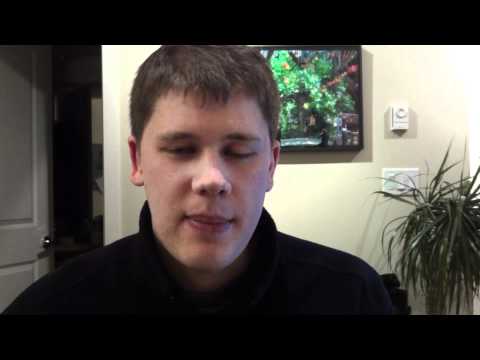
Geoff from geoffmobile.com reviews the Sony ICD-SX712 recorder device, which is an amazing, tiny audio recorder that is ideal for recording live music, concerts, location audio / ambient sounds for films, dialog for film, lectures, meetings, making podcasts and personal voice notes.

It has two built in mics that can fold out to a wide stereo pattern (for great stereo imaging for a live band, for example) or fold in for a single direction (for recording an interview for example). It also has an external mic jack (stereo miniplug, powered) that can accommodate a mono lapel mic or a stereo mic. It has MP3 recording mode good for lectures or meetings. Also, for recording music or film work it has excellent uncompressed linear 44.1khz 16 bit wav recording mode, as well as manual recording gain, level monitoring, and headphone jack for monitoring a live recording or playback. Mastering these WAV files has given me excellent results!

Like other Sony devices, the sx712 has a “hold” lock switch that prevents the buttons from being activated while the unit is in your pocket. This is a really handy feature, and guarantees that once you start the unit recording and activate the lock, you won’t accidentally stop the recording by hitting a button.

The device can record on to its internal memory, or a micro SD card (slot on the side). i currently have an 8GB micro SD card on my unit, and this is more than enough for pretty much anyone! :)

My only issue with the unit (which is not that serious) is that the headphone gain does not go extremely loud at its maximum volume, which is fine for listening to mastered audio (as it also functions as an MP3 player), but for monitoring a live recording in manual gain mode, this makes it a bit harder to notice problems in the audio. Possibly this problem could be worked around with a headphone gain booster device.

Technical notes:
The audio of my voice for this video was recorded using the Sony ICD-SX712 using an external lapel mic. The audio was compressed (dynamic compression, not size compression) using a 2:1 compression ratio in Audacity and synced with the video using Pluraleyes from Singular Software. The camera used is a Canon EOS T2i (550d) using the kit lens 18-55 IS, manual white balance, Magic Lantern, Technicolor Cinestyle picture style. For this vlog, the EOS Utility was used to show the live view on my computer monitor from the camera so I could get focus. Edited with Adobe Premiere Pro CS5.5 (legally licensed version, actually 5.5.2). In Premiere I applied RGB Curves to add contrast, and Three-way Color Corrector to add some blue tones to the shadows.

Thanks for watching!
See you next time,
Geoff
geoffmobile.com