Carrot Car Accident Joke – Geoff Peters Jokemaster @ Best Run Toastmasters

Here’s the latest joke from Geoff.

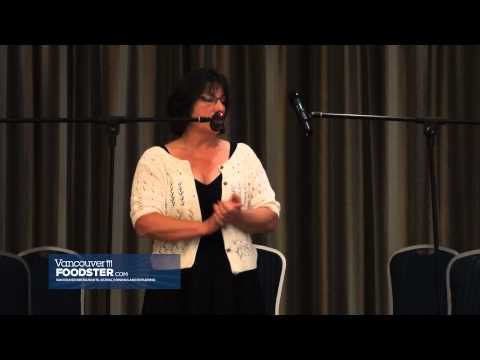
Presented by Geoff Peters geoffmobile.com to Best Run Toastmasters club in Vancouver BC Canada, on August 16th 2012.

In this meeting, Geoff took the Toastmasters role of the “Jokemaster”. The goal is to present a joke to the club in 1 to 2 minutes.

For more information about Toastmasters including how to find a club in your area, please visit toastmasters.org

Thanks for watching! Please subscribe if you enjoyed this video :)

Cheers,
Geoff

A Birds in the House Production
birdsinthehouse.com

Technical notes:
Camera: Sony Cybershot DSC-HX9V
Edited with Adobe Premiere Pro CS5.5 on a Windows 7 PC (Intel i7).
Used W1 Limiter VST in Premiere to process the audio.

Sky Dive by Freddie Hubbard – jazz performed by Phil Dwyer Adult Camp 2012

Here are the students of the 2012 Phil Dwyer Academy of Music and Culinary Arts performing the wonderful Freddie Hubbard jazz tune, Sky Dive.

Alto Saxophone — Neil Peters
Alto Saxophone — Ian Clayton
Tenor Saxophone — Tim Kelly
FlugelHorn — David Esler
Drums — Bryan Niblock
Bass — Rick Reynolds
Guitar — Brian Chellas
Piano — Geoff Peters

with Special Guest on Tenor Saxophone: Eli Bennett elibennett.com/

Recorded on August 10th 2012 near Qualicum Beach BC (VIU Deep Bay Marine Field Station): www.viu.ca/deepbay/

Special thanks to Neil Peters, Phil Dwyer, Eli Bennett, and my Aunt Mary!

Please visit: phildwyer.com for more information about music in Qualicum Beach and about our multiple-Juno award winning instructor and camp director, Phil Dwyer.

Video and audio recording by Geoff Peters geoffmobile.com

Thanks for watching!
Cheers,
Geoff

Technical Notes:
Audio recorded on a Zoom H1 using the unit’s internal microphones in 24bit 48khz.
Camera: Sony Cybershot DSC-HX9V
Edited with Audacity and Adobe Premiere Pro on a Macbook and Windows 7 PC (Dell, Intel i7 and USB 3.0 for a faster workflow).

Sound and Video Recording by Geoff Peters geoffmobile.com

A Birds in the House Production
birdsinthehouse.com

Peace (Horace Silver) – Jazz standard performed by Phil Dwyer Adult Camp Ensemble 2012

Here are students of the 2012 Phil Dwyer Academy of Music and Culinary Arts performing the beautiful jazz ballad called “Peace” – written by Horace Silver.

Alto Saxophone – Ian Clayton
FlugelHorn – David Esler
Drums – Bryan Niblock
Bass – Rick Reynolds
Piano – Geoff Peters

Recorded on August 10th 2012 near Qualicum Beach BC (VIU Deep Bay Marine Field Station): www.viu.ca/deepbay/

Special thanks to Neil Peters, Phil Dwyer, Eli Bennett, and my Aunt Mary!

Please visit: phildwyer.com for more information about music in Qualicum Beach and about our multiple-Juno award winning instructor and camp director, Phil Dwyer.

Video and audio recording by Geoff Peters geoffmobile.com

Thanks for watching!
Cheers,
Geoff

A Birds in the House Production
birdsinthehouse.com

Technical Notes:
Audio recorded on a Zoom H1 using the unit’s internal microphones in 24bit 48khz.
Camera: Sony Cybershot DSC-HX9V
Edited with Audacity and Adobe Premiere Pro on a Macbook and Windows 7 PC (Dell, Intel i7 and USB 3.0 for a faster workflow).

Fall by Laundryman (Live) – Vancouver electronic music jam Aug 3rd 2012

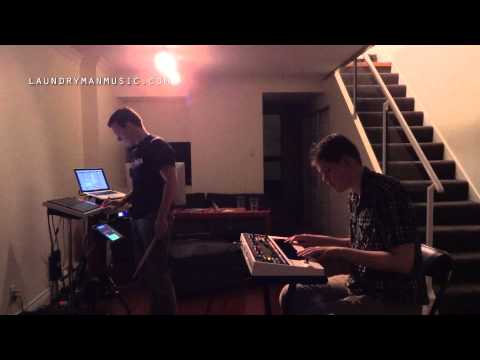
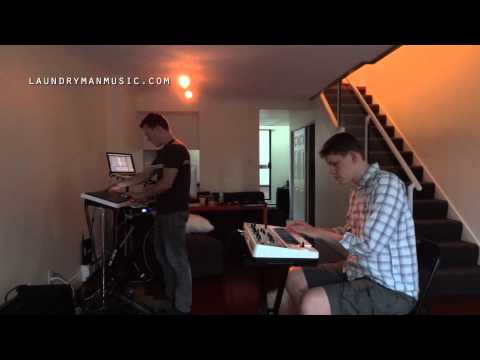
Here’s Vancouver Electronic Music band Laundryman laundrymanmusic.com with a live practice / performance of their new original song, “Fall”.

** For a free MP3 download of this music, please visit:
gpeters.com/tracks/laundryman-aug-3-2012/

Laundryman is:

Jason Knight – Roland Octapad, Ableton Live, Macbook Pro, iPad.
youtube.com/jasonknightfilms

Geoff Peters – Roland Gaia SH-01 Synthesizer.
geoffmobile.com

We are a live electronic band based in Vancouver BC Canada would like to perform in your cafe, restaurant, living room, or even Laundrymat! Please contact us on our website: laundrymanmusic.com

Thanks for watching!
Cheers,
Geoff
geoffmobile.com

A Birds in the House Production
birdsinthehouse.com

Technical notes:

Recorded live in room using Zoom H1 in 48khz, 24bit.
Played through a single Roland KC-350 amplifier.
Audio processed using Audacity.
Video edited using Adobe Premiere Pro CS5.5 on a Windows 7 Dell PC (Intel i7 and USB 3.0 for a faster workflow).
Camera: Sony Cybershot DSC-HX9V.

How to Master Recorded Audio using free software tools – tutorial by Geoffmobile.com

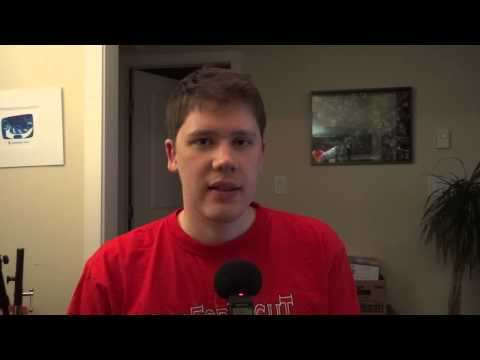
Geoff Peters from geoffmobile.com presents a free Tutorial on some basic Digital Audio Mastering techniques.

Learn how to make your voice or music home recordings sound better using freely available software and tools.

Free Software Used in this tutorial:

Audacity: Free Audio Editor (includes SC4 compressor, Normalize, etc)

For PC or Mac:

audacity.sourceforge.net/

George Yohng’s W1 Limiter – for PC or Mac

www.yohng.com/software/w1limit.html

Alternative W1 Limiter Download – for PC only. (scroll down to Betabugs W1 Limiter):

www.betabugsaudio.com/plugs.php

Thanks for watching this tutorial! If you have any questions or comments, please leave them below this video! :) thanks!!

If you enjoyed this tutorial please subscribe to my channel here on Youtube for more videos from me.

Cheers,

Geoff

geoffmobile.com

Additional notes:

In digital audio, in a signal such as a recording of a song, the loudest possible note you can represent in the signal peaks out at 0. A softer note will be represented with a peak at a lower number, such as -12db or -6db, etc. Anything above 0 will be recorded as buzzing or a strange noise because the signal is actually being lost (it’s also called “clipping”). So you don’t want to set your gain too high or else you ruin your recording with horrible buzzing / distortion that occurs if your signal exceeds 0. Usually when recording, you want your peaks to be recorded at around -12db, but then in mastering you usually use what’s called a “limiter” audio processor to increase your peaks right up to -0.4db or so (i.e. very close to 0 but not touching 0). Also the way the ear perceives loudness is not affected so much by the peaks of the audio signals but by the build-up of energy in the signal that creates a vibration in your ear (e.g. the average loudness). This energy buildup is usually measured as well, and in Audacity (a good free program) you can use a Limiter add-on to increase the average loudness. Some mastering engineers increase the average loudness of the climactic sections to around -10db or -11db. This creates quite a loud and punchy mix. But some pop tunes or dance will keep the average loudness that high for the whole song, whereas a jazzy recording may only do this during important moments.
How to install W1 limiter:

For PC’s:
The W1 Limiter (George Yonhg’s) should go in the Audacity Plug-ins folder inside the Audacity installation folder (not the LAME folder) On Windows, this is usually under Program Files (or Program Files (x86) on 64-bit Windows); on Mac OS X, it is usually in the “Applications” folder. To display the newly added plug-ins:
Go to the Effects Preferences
Under “VST Effects”, put a check mark in “Rescan VST effects next time Audacity is started”
Exit Audacity and launch it again.

New! I’ve created a tutorial video which shows how to install W1 Limiter. Please check it out here: www.youtube.com/watch?v=cA8w2oHe8xo

I realize that installing W1 Limiter can be a challenge for a lot of people who are viewing my tutorial, so tonight I made a new tutorial which explains how to install Audacity and W1 Limiter on Windows 7 64bit computer. Please see: www.youtube.com/watch?v=cA8w2oHe8xo

For newer Macs:
try this: To install, unzip W1.component.zip to /Library/Audio/Plug-ins/ComponĀ­ents
Then select rescan in effects preferences and restart Audacity and it should appear! (may have to restart your system too?)

Technical notes:

The music used in this video was by the Vancouver electronic band called “Laundryman”. Visit them on the web at:

laundrymanmusic.com

** and please Like them on Facebook at: facebook.com/laundrymanmusic

The audio for this video was recorded using a Zoom H1:

www.zoom.co.jp/products/h1/

Screen Capture software used was the free “Camstudio”:

camstudio.org/

Video edited with Adobe Premiere Pro CS5.5 on a Windows 7 Dell PC (Intel i7 and USB 3.0 for a faster workflow).

A Birds in the House Production

birdsinthehouse.com

bye for now!